Ask any strong player how they improved and you will hear the same answer: they reviewed their own games. Not just the losses — every game. The problem is that reviewing well is hard. You need an engine, you need to know which moments actually mattered, and you need someone to explain why a move was good or bad.
That is exactly what Coach Reviews in Chess Coach Pro does. It runs your game through Stockfish, scores your accuracy, grades every move from brilliant to blunder, finds the turning points, and then walks you through them like a coach sitting next to you — even making you retry the moves you got wrong. This is a full look at how it works and how to get the most out of it.
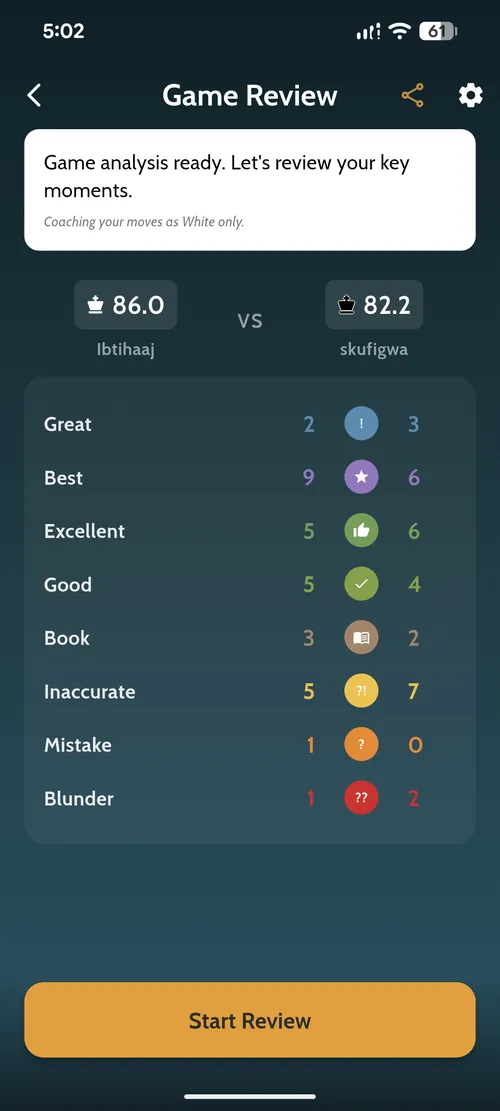
What a Coach Review gives you
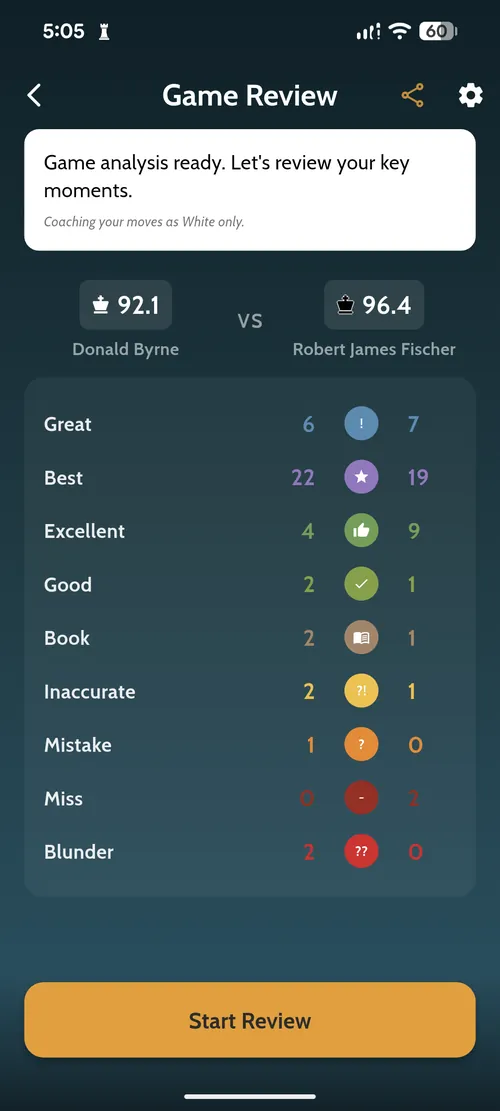
When a review finishes, you land on a summary screen built to answer one question fast: how well did I actually play? At the top is an accuracy score for each side on a 0–100 scale, so you can compare your performance against your opponent at a glance.
Below that, every move you both made is bucketed into categories — how many were the best move, how many were merely good, and how many were inaccuracies, mistakes, or outright blunders. It turns a whole game into a scoreboard you can read in five seconds, and it makes patterns obvious: lots of good moves but two blunders tells a very different story than a game full of small inaccuracies.
Every move, classified
The heart of the review is the move classification. Chess Coach Pro grades each move by how much it changed your realistic winning chances — not by raw engine centipawns — so the labels line up with how the game actually felt. The categories are:
- Brilliant — a sound sacrifice that works.
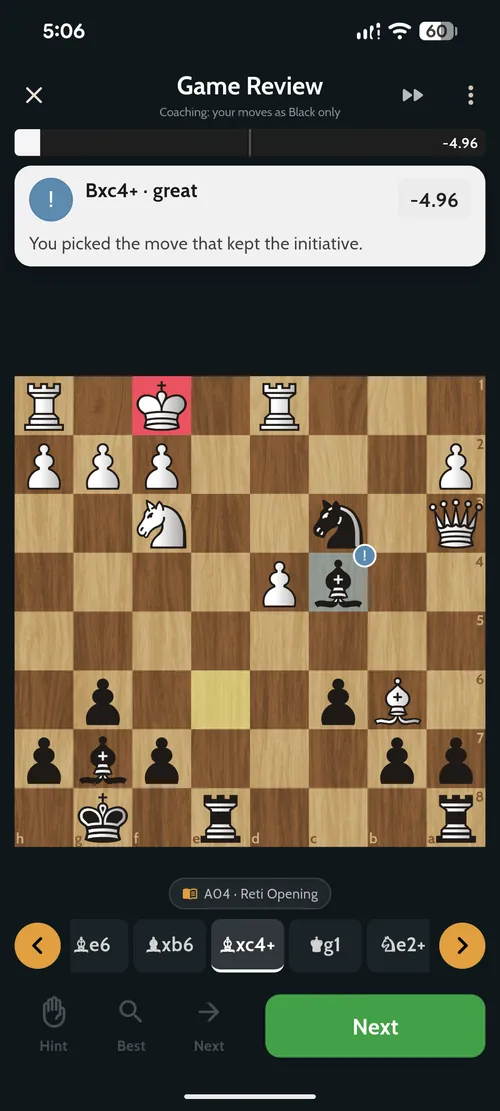
- Great — a hard, uniquely-good move that held the position together.
- Best — the engine's top choice.
- Excellent and Good — solid, sensible moves.
- Book — known opening theory.
- Inaccuracy, Mistake and Miss — moves that let some of your advantage slip.
- Blunder — a move that swung the game.
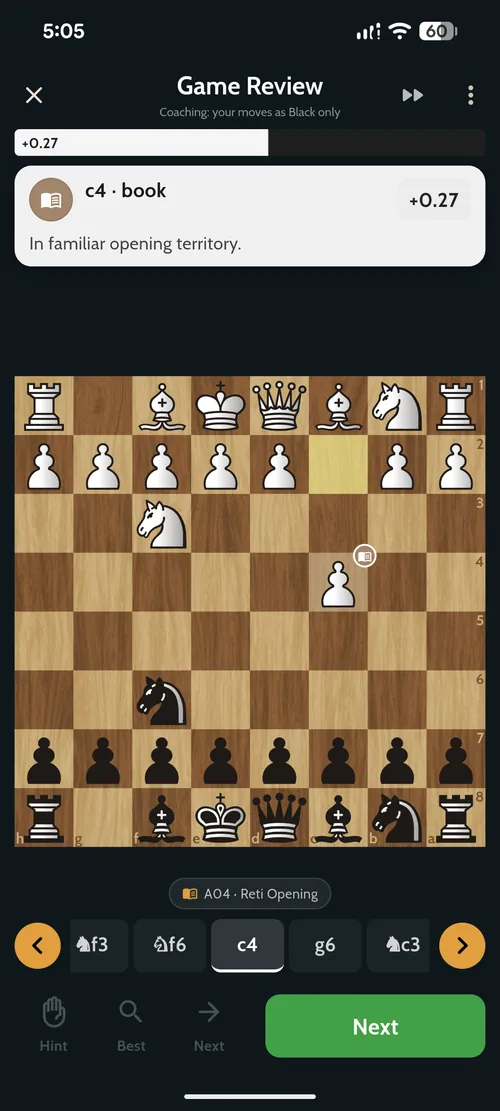
Every classified move comes with a short coaching note. Play a theory move and you will see something like "In familiar opening territory." Find the strongest continuation under pressure and it tells you exactly what you did right.
A guided walkthrough, not a wall of numbers
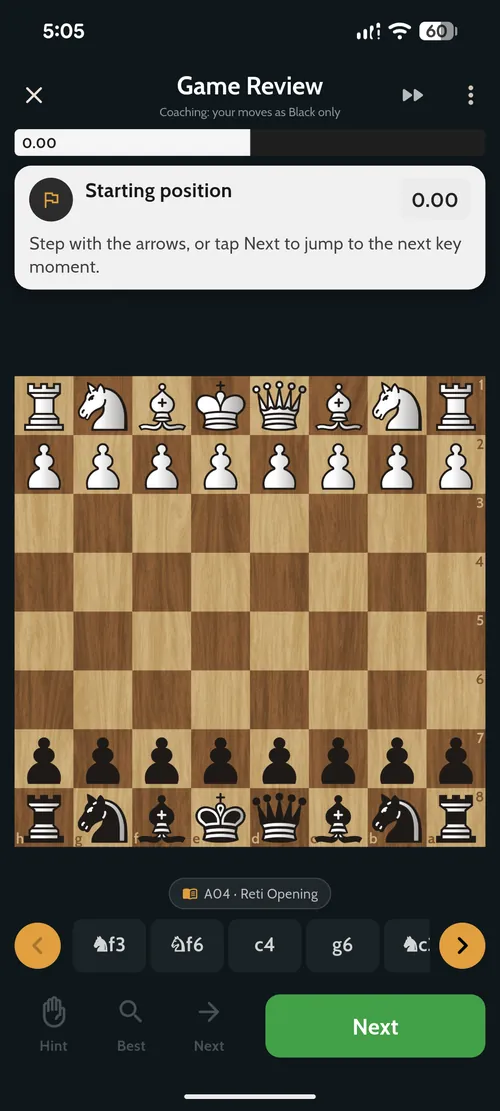
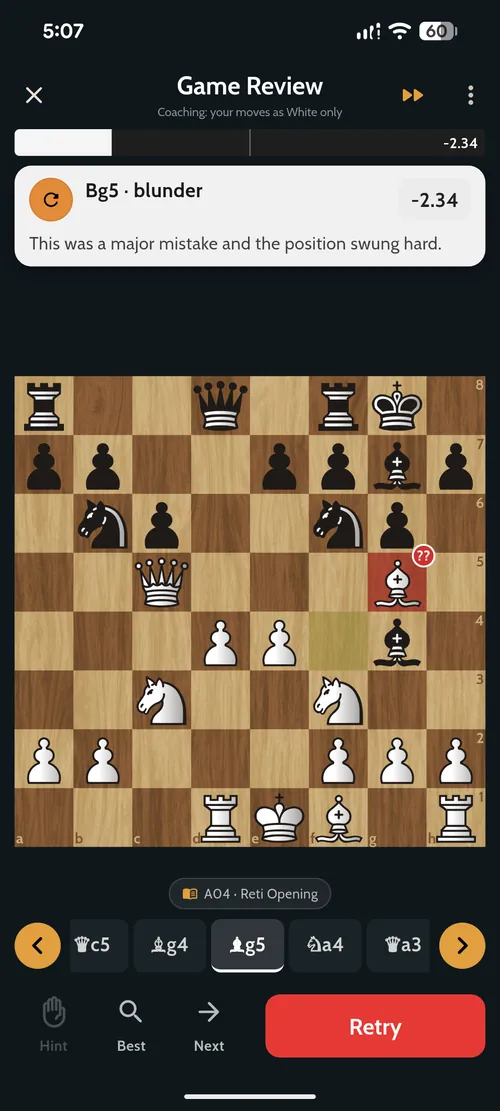
Plenty of tools dump an evaluation graph on you and call it analysis. Coach Reviews is built to teach. You step through the game with an evaluation bar that shows who is winning and by how much, the opening is named automatically (ECO code and all — the game below is the Réti, A04), and you can either move one ply at a time or tap Next to jump straight to the next key moment.
Three controls do the coaching: Hint nudges you toward the idea, Best shows the engine's move, and Next advances the walkthrough. You are always in the position, on the board, instead of scrolling a spreadsheet.
When you blunder, the coach makes you try again
This is the part that actually changes how you play. When the review reaches one of your blunders, it does not just tell you the answer — it flags the move, explains that the position swung hard, and gives you a Retry button. You go back into the position and have to find a better move yourself.
That small difference matters. Being told "Bg5 was a blunder" teaches you almost nothing. Being sent back to that exact position and made to work out what you should have played builds the pattern recognition you will actually use in your next game. The coach pushes on your worst moments and celebrates your best ones — and yes, if you ever find a sound sacrifice, it will award you a Brilliant.
Review any game — even the classics
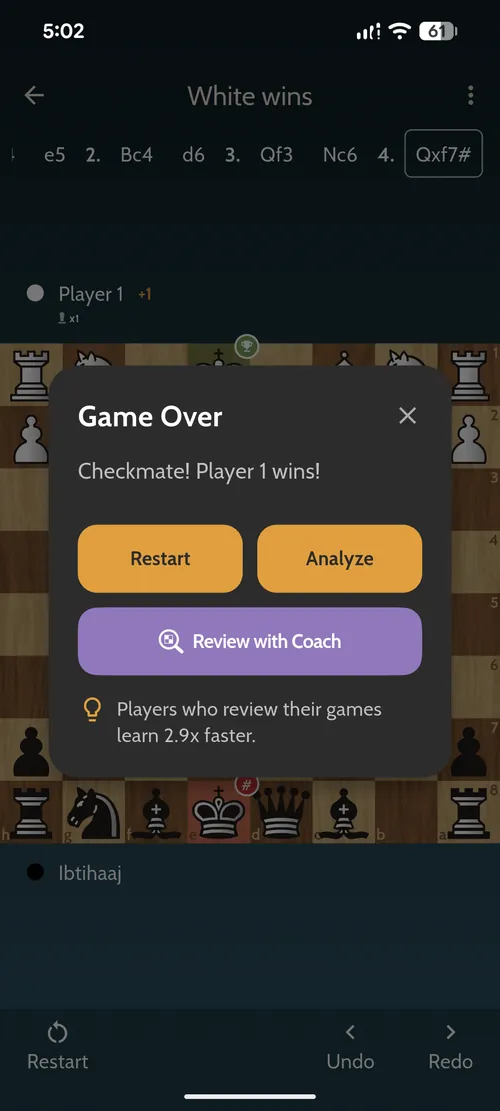
You can start a review from three places: a game you just finished against the app, any game saved in your Games Library, and games you import from your online account. Just beaten the engine? Tap Review with Coach from the game-over screen and go straight into analysis.
Because reviews run from PGN, you are not limited to your own games. Want to see how the engine grades a masterpiece? Below is Coach Reviews working through the "Game of the Century" — Donald Byrne vs a 13-year-old Bobby Fischer — scoring Fischer at 96.4 accuracy. It is a genuinely fun way to study the games that shaped chess.
How it works under the hood
The analysis is powered by Stockfish, one of the strongest chess engines in the world. When you request a review, your game is sent to Chess Coach Pro's servers, where the engine runs a two-pass analysis: a fast pass over every move, followed by a deeper look at the highest-impact positions — the swings, the tactics, the critical moments. That focuses the engine's time where it teaches you the most.
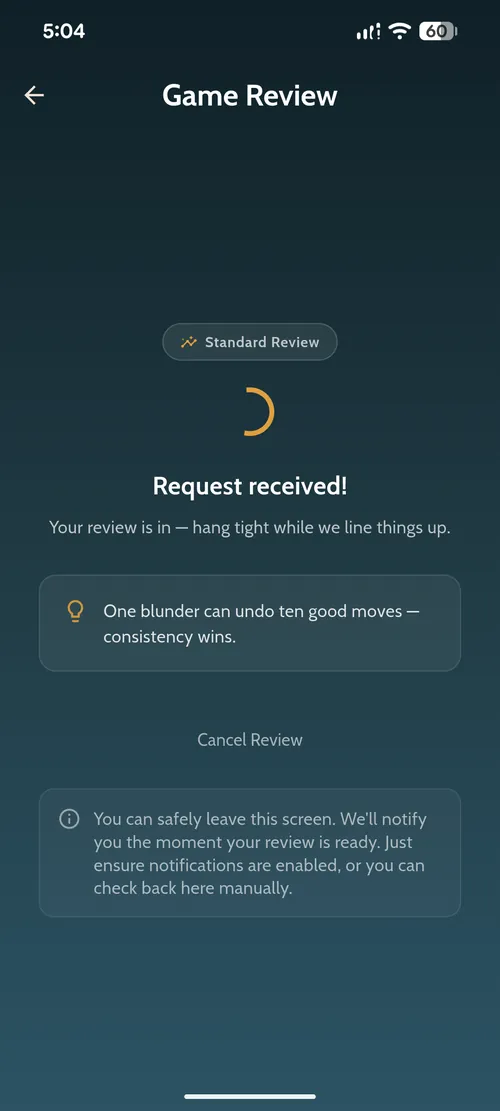
Because the heavy lifting happens on the server, you do not have to keep the app open and staring at a spinner. You can leave the screen and the app notifies you the moment your review is ready. You can also choose a review type — Balanced, Standard, Deep, or Turbo — to trade a little speed for deeper analysis.
How to run your first review
- Open Chess Coach Pro and tap Coach Reviews on the home screen (or Review with Coach right after a game).
- Pick the game to review — one you just played, a saved game, or an imported one.
- Choose whose moves you want coached: White, Black, or both sides.
- Pick a review type and start the review. When it is ready, tap Start Review and step through your key moments.
Free accounts get 3 reviews a day with the Balanced and Standard types — plenty to build a habit. Upgrading to Pro raises that to 100 a day and unlocks the Deep and Turbo review types for stronger analysis.
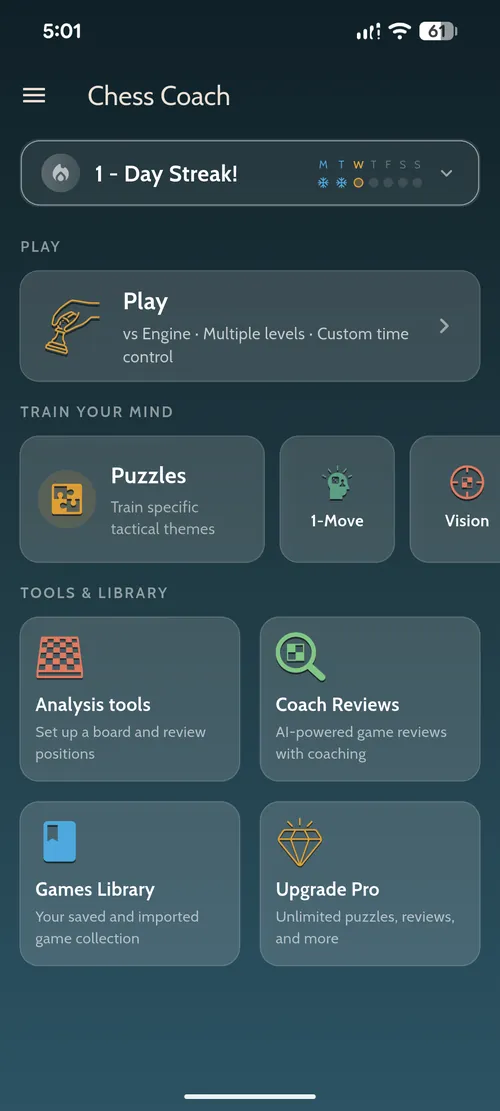
Pair your reviews with daily tactics training and the analysis board, and you have the complete improvement loop: play, review, fix, repeat. If you want the bigger picture, our guide on how to analyze your chess games walks through the thinking process behind a good review.
Frequently asked questions
What is a chess game review?
A game review analyzes a completed game move by move, using a chess engine to score how accurately each side played, grade each move from brilliant to blunder, detect the opening, and highlight the moments where the game changed. In Chess Coach Pro the feature is called Coach Reviews.
How does Chess Coach Pro analyze my games?
Your game is sent as a PGN to Chess Coach Pro's server, where Stockfish analyzes every move in a fast first pass and then re-examines the highest-impact positions more deeply. You get accuracy scores per side, a move-by-move classification, an evaluation bar, the detected opening, and coaching notes.
Which games can I review?
A game you just played against the app, any game saved in your Games Library, and games you import from your online account. Because reviews run from PGN, you can even study famous master games.
Is game review free?
Yes. Free accounts get 3 Coach Reviews per day with the Balanced and Standard review types. Pro accounts get up to 100 reviews per day plus Deep and Turbo. Chess Coach Pro is available on iOS and Android.
What do the move labels mean?
Each move is graded by how much it changed your winning chances. Best, Excellent, Good and Book are sound; Inaccuracy, Mistake, Miss and Blunder cost you; Great marks a hard, uniquely-good move; and Brilliant is reserved for a sound sacrifice. A Blunder gives you a Retry prompt so you can find the better move yourself.
Review your next game with a coach
Play, review, and fix your mistakes in one free app. Get Chess Coach Pro on iOS and Android.